Years
Warranty
Quick Guide
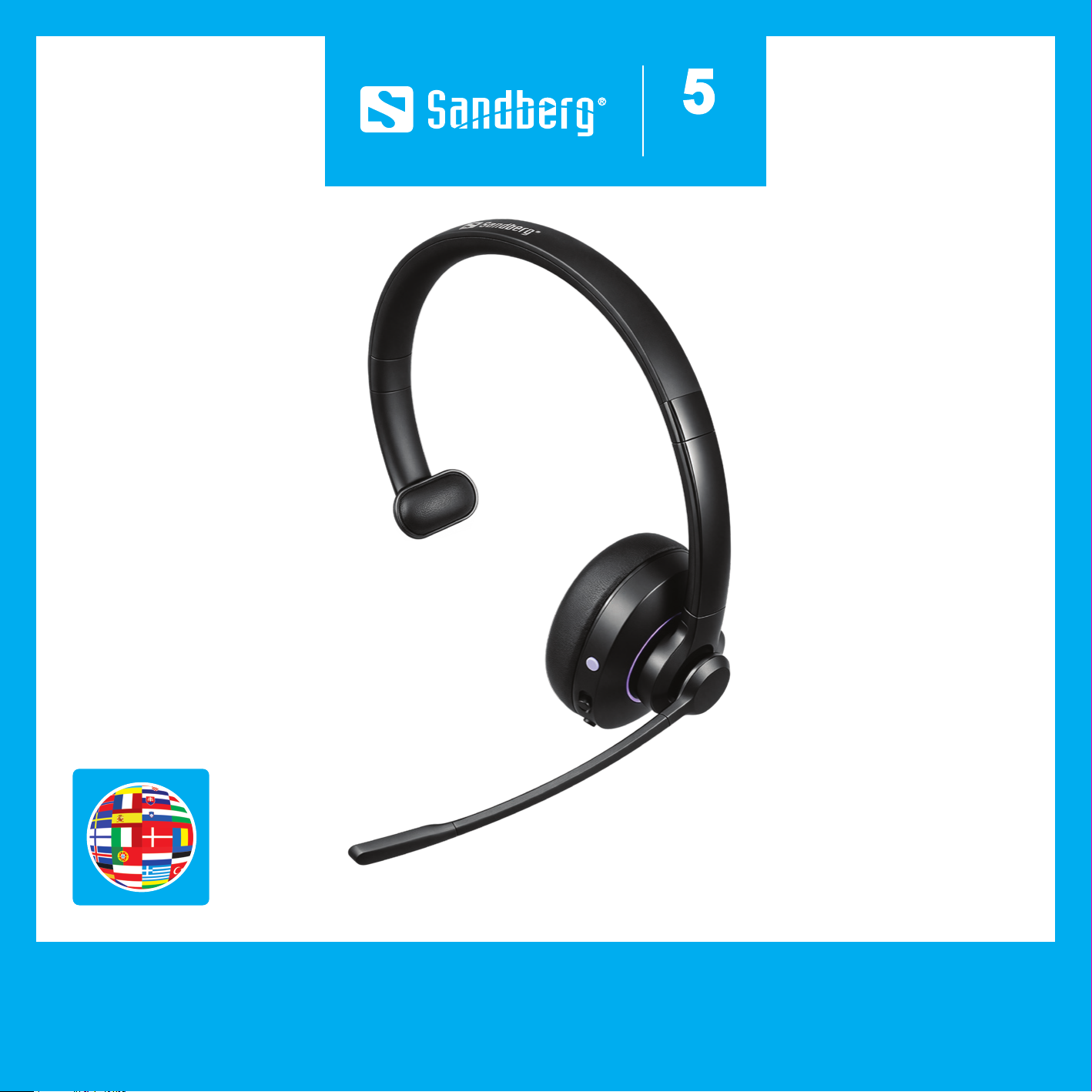
Wireless Headset Pro Mono ENC
Quick guide
2
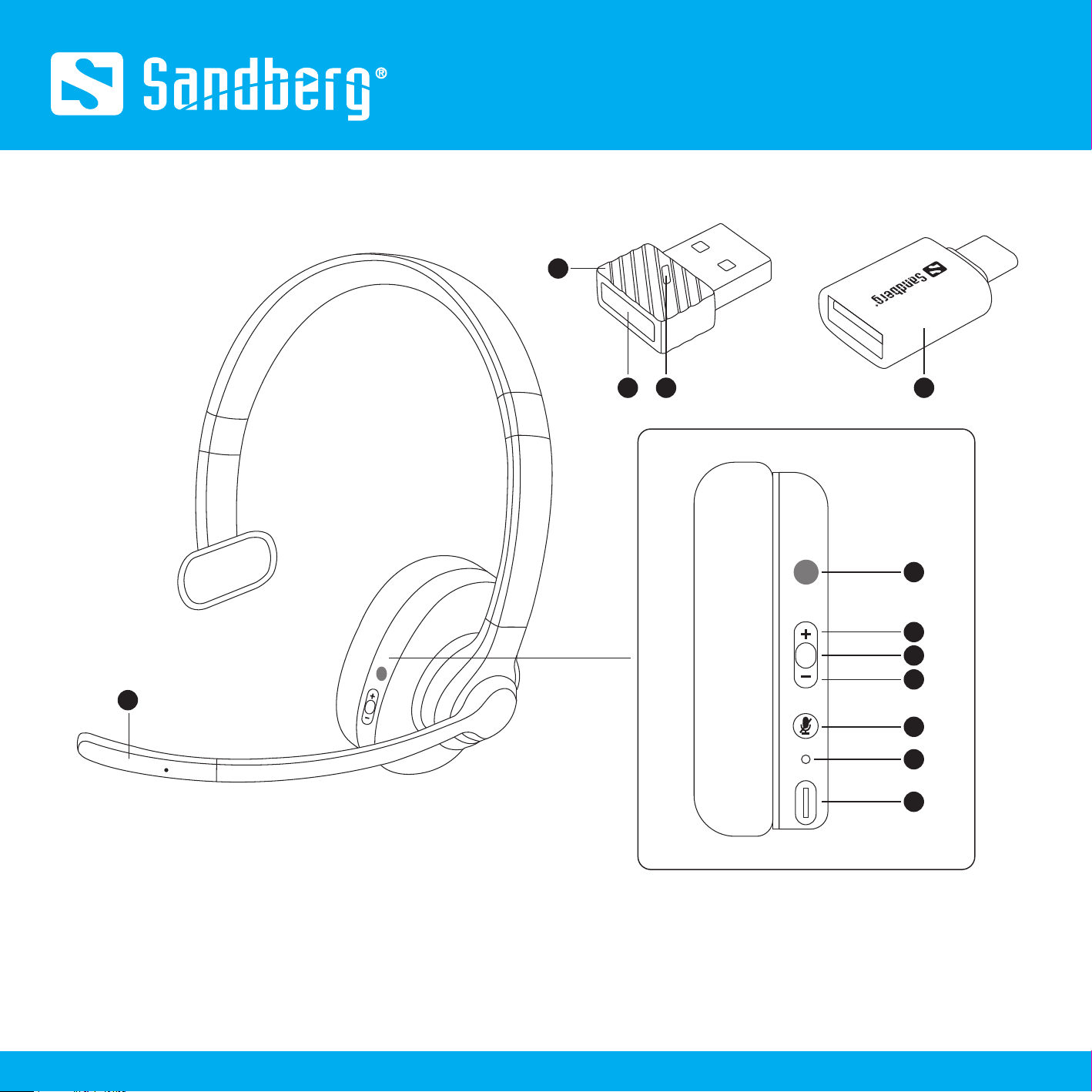
Product overview
1. Microphone
2. Microsoft Teams button
3. Volume +/Previous track
4. Play/Pause
5. Volume -/Next track
6. Power on/off Mic mute/unmute
7. LED indicator
8. USB-C charging port
9. USB-A dongle
10. USB-A dongle reset button
11. USB-A dongle indicator
12. USB-A to USB-C adapter
1
2
6
7
8
3
4
5
1210 11
9
Quick guide
3
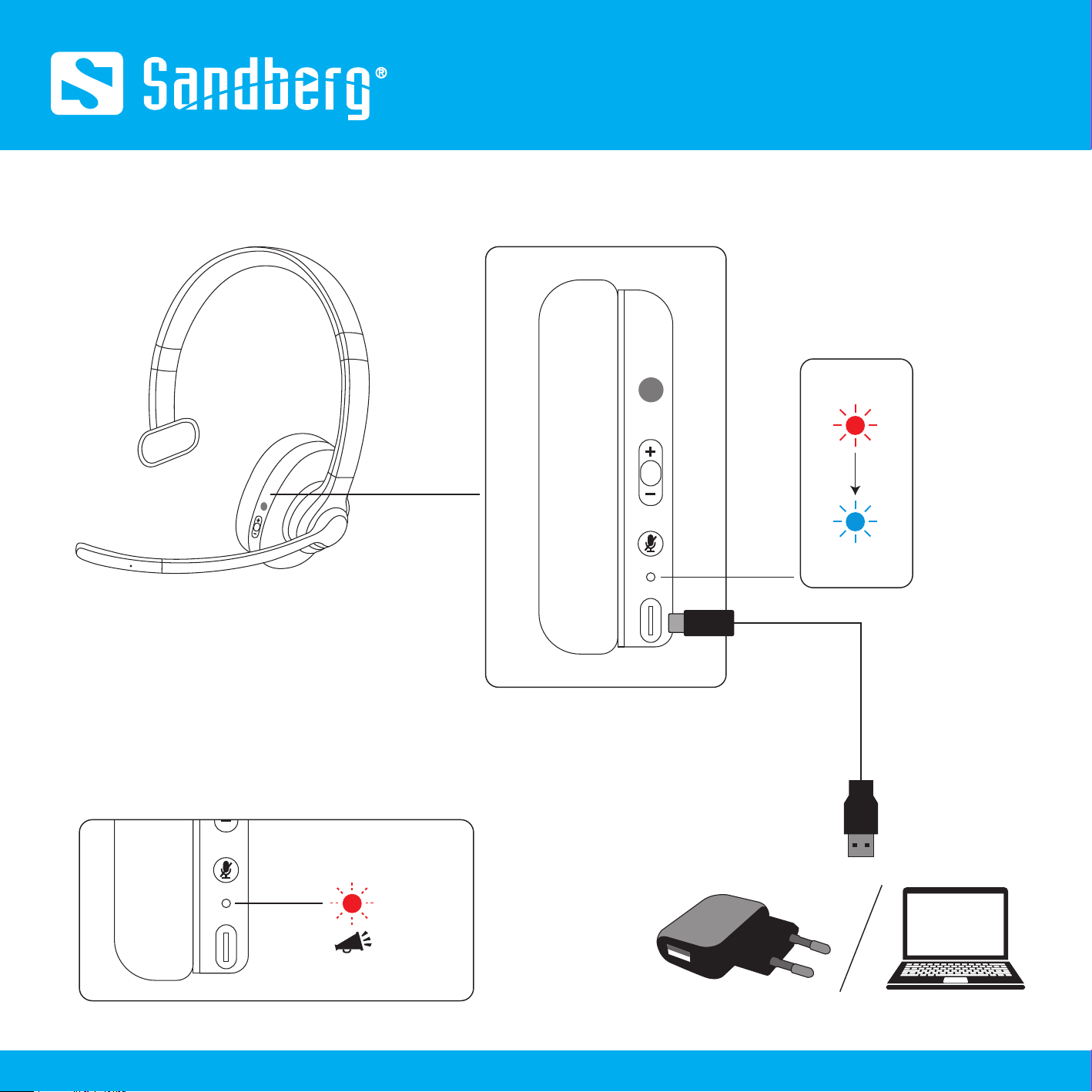
Charge
Low battery
"Charge headset"
Charging
Finished
USB-C
USB-A
Use included cable
x1 / 10 min
Quick guide
4
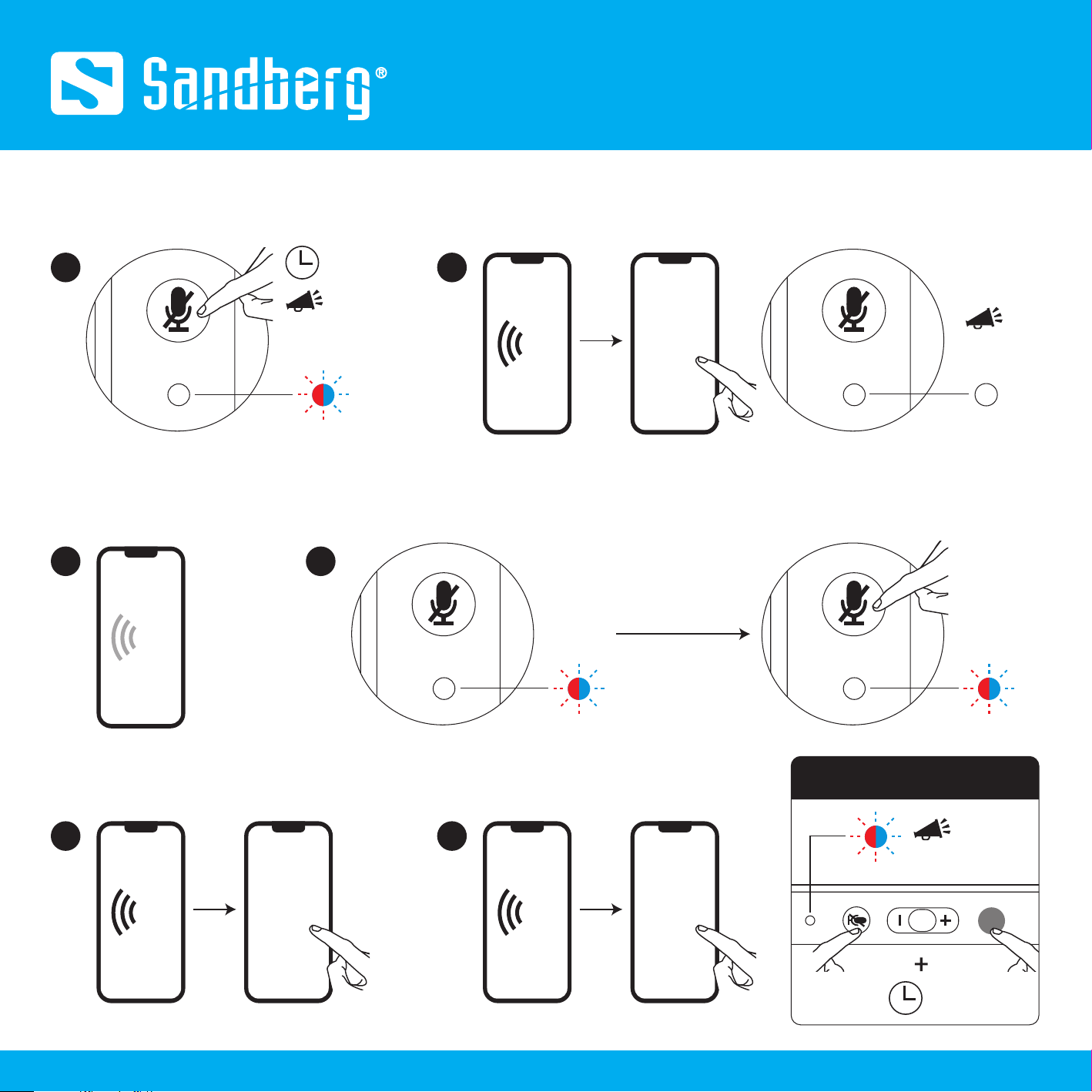
Pairing without dongle
2nd device
1 2
"Power on + Pairing"
"Beep"
"Pairing successful"
BT Sandberg
4 sec
1
1st device
2
BT
Turn off the BT of the
1st device
Auto pairing
1st device
3
BT Sandberg
2nd device 2nd device
4
BT Sandberg
1st device 1st device
X2
If not
Clear the paired devices
4 sec
Quick guide
5
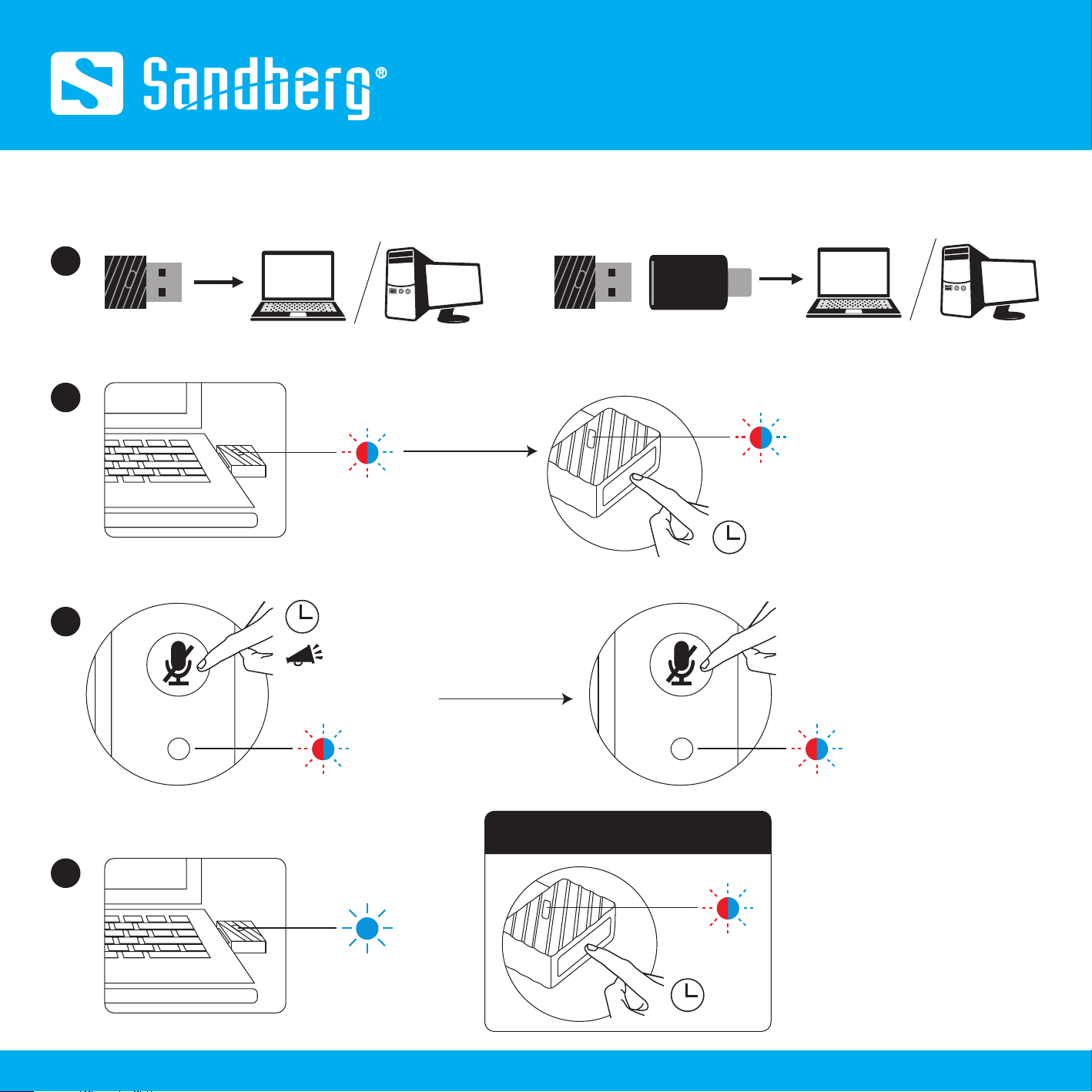
1
Pairing with dongle
3
"Power on + Pairing"
4 sec
2
Dongle
Dongle USB-A to USB-C
adapter
or
4
If not
If not
3 sec
X2
Successful
10 sec
Clear the paired devices
Quick guide
6
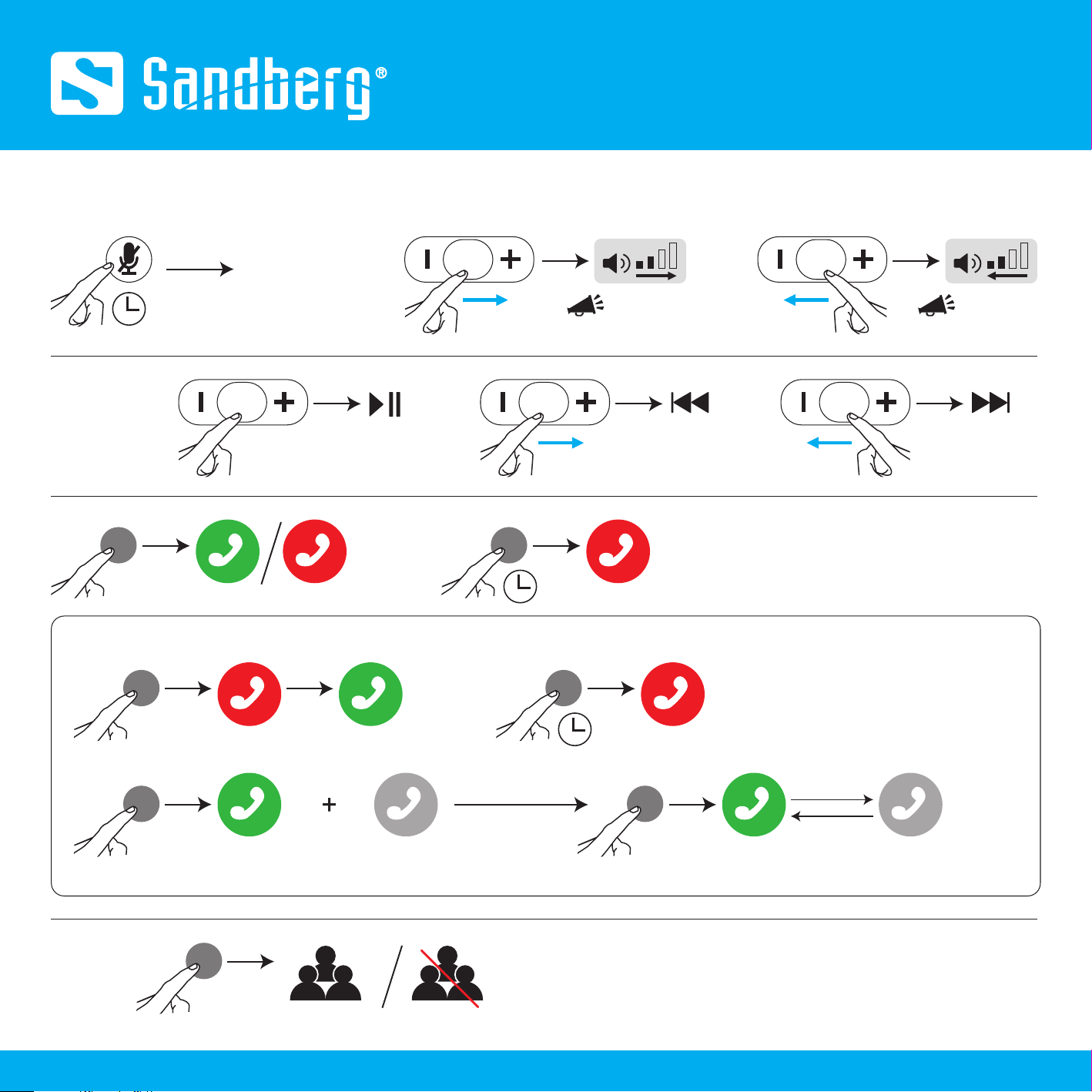
Playing music
Teams
Button functions
Power on/off
2 sec
x1
"Beep"
(volume maximum)
X1 "Beep"
(volume minimum)
X1
Hold Hold
Answer a third-party call
Current call New call New call
X1
X1
X1
X2 X2
Hold the current callNew call Hold the new callCurrent call
1 sec
1 sec
Quick guide
7
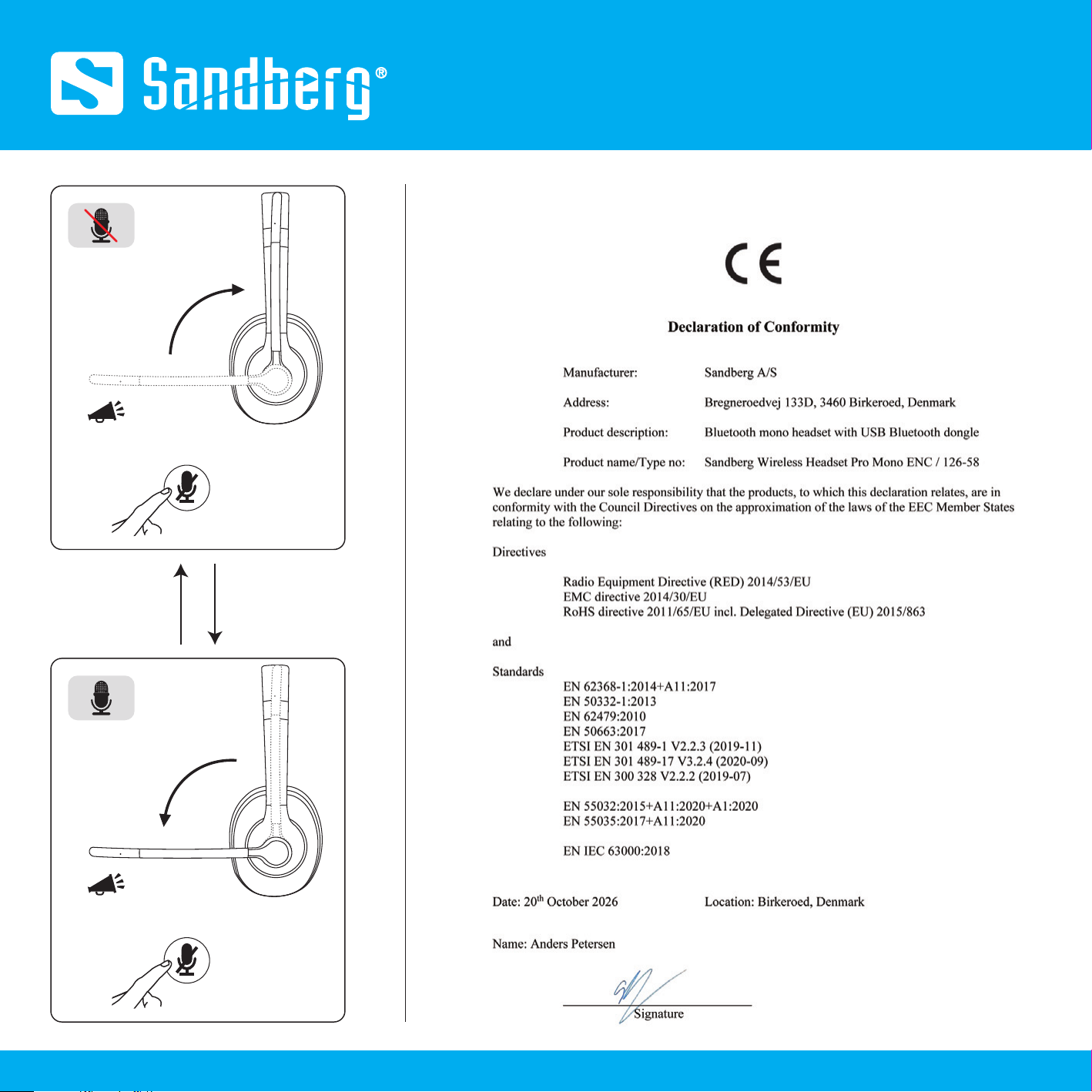
or
x1
Microphone position takes priority
"Beep"
or
x1
Microphone position takes priority
"Beep"
CE letter of conformity
Warranty
Helpdesk
There is a five-year warranty on your Sandberg product.
Please read the warranty terms and register your new Sandberg product at https://www.sandberg.world/warranty
For information on handling electronic waste, see https://www.sandberg.world/weee
helpdesk.sandberg.world
Made in China
Sandberg A/S
Bregneroedvej 133D,
3460 Birkeroed, Denmark
Item no. 126-58Wireless Headset Pro
Mono ENC
NOTE: If not used regularly, please recharge the headset at least every 3 months to maintain optimal performance.
Years
Warranty
8